 Tivaro
MongoDB client for Android
Query MongoDB and MongoDB Atlas from your phone using familiar mongosh syntax – find, aggregate, update – and see documents in a readable grid.
Works with: MongoDB, MongoDB Atlas (mongodb+srv://), Azure Cosmos DB for MongoDB and Amazon DocumentDB.
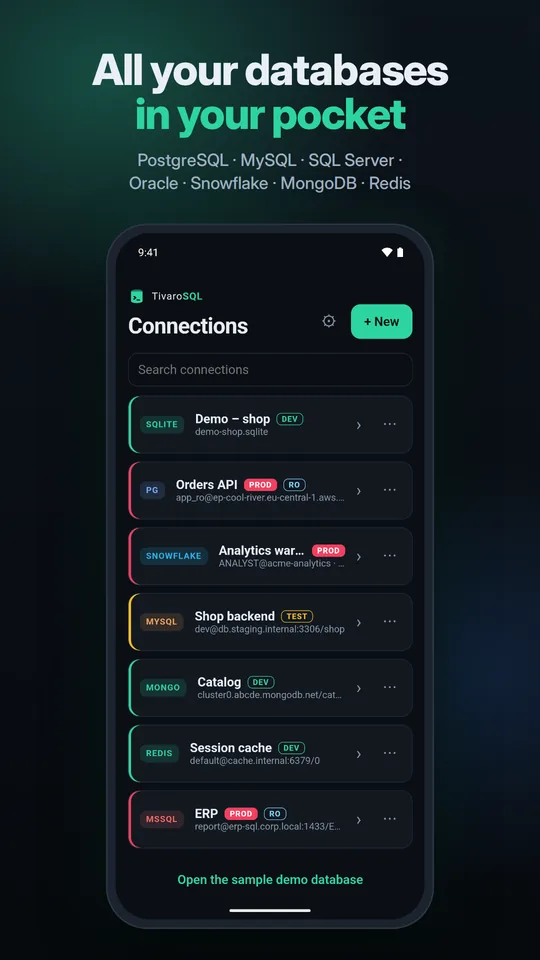
How to connect to MongoDB from Android
- Tap + New → MongoDB and paste your
mongodb+srv://ormongodb://connection string. - Enter the password (stored encrypted, not in the URL) and the default database.
- Connect – collections appear in the navigator.
- Run queries such as
db.orders.find({status: "paid"}).limit(20)or an aggregation pipeline.
What you can do
mongosh syntax
find, aggregate, insert, update, delete – with ObjectId and ISODate support.
Atlas ready
SRV connection strings work on Android.
Collections browser
See collections and documents without writing a query.
Export
Results to JSON or CSV.
PROD protection
Confirmation before writes on production clusters.
One app for SQL and NoSQL
The same app also talks to PostgreSQL, MySQL, Redis and more.
Private and safe by design
TivaroSQL Studio connects directly from your phone to MongoDB – there is no proxy server and no account. Passwords and keys are encrypted with Android Keystore, the app has no ads, analytics or tracking, and you can lock it or a single connection with your fingerprint.
Frequently asked questions
Does it support MongoDB Atlas?
Yes, including mongodb+srv connection strings.
Which query language does it use?
mongosh (MongoDB Shell) syntax.
Is it free?
Yes, MongoDB support is part of the free version.