 Tivaro
SQLite browser & editor for Android
Open any SQLite database file on your phone, look at its tables, run SQL and fix data. Perfect for app developers inspecting a local database or anyone with a .db file to read.
Works with: SQLite files (.db, .sqlite, .sqlite3) and DuckDB databases for analytics on CSV and Parquet.
How to connect to SQLite from Android
- Tap Open database file and pick a
.dbor.sqlitefile – or create a new one. - Not sure where to start? Tap Create demo database to get a sample shop with customers, orders and products.
- Browse tables, tap Data to see rows, or write your own SQL.
- Export results or make a backup copy of the database file.
What you can do
Open any .db file
Works with files from other apps, downloads or cloud storage.
Edit data
Change, add and delete rows with an SQL preview.
Table designer
Create tables with types and primary keys without writing DDL.
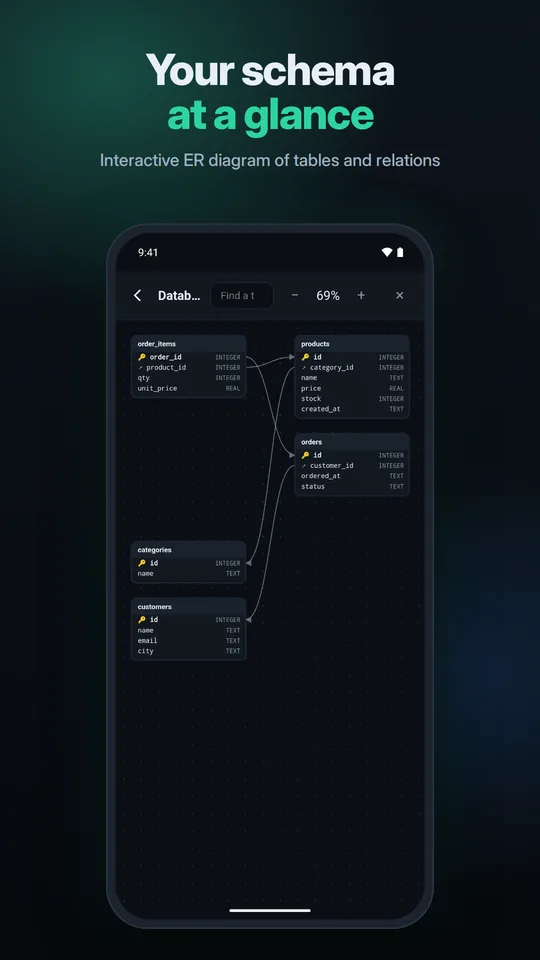
ER diagram (Pro)
See tables and foreign keys at a glance.
DuckDB
Analytical SQL on CSV and Parquet files, on the phone.
Backup & restore
Copy the database file before risky changes.
Private and safe by design
TivaroSQL Studio connects directly from your phone to SQLite – there is no proxy server and no account. Passwords and keys are encrypted with Android Keystore, the app has no ads, analytics or tracking, and you can lock it or a single connection with your fingerprint.
Frequently asked questions
Can I open the SQLite database of another app?
You can open any .db file you can access, for example one exported or downloaded to your device.
Does it work offline?
Yes. Local SQLite and DuckDB files need no internet connection.
Is it free?
Yes. Opening, querying and editing SQLite files is free.